
Cargo-IMP messages you can actually read
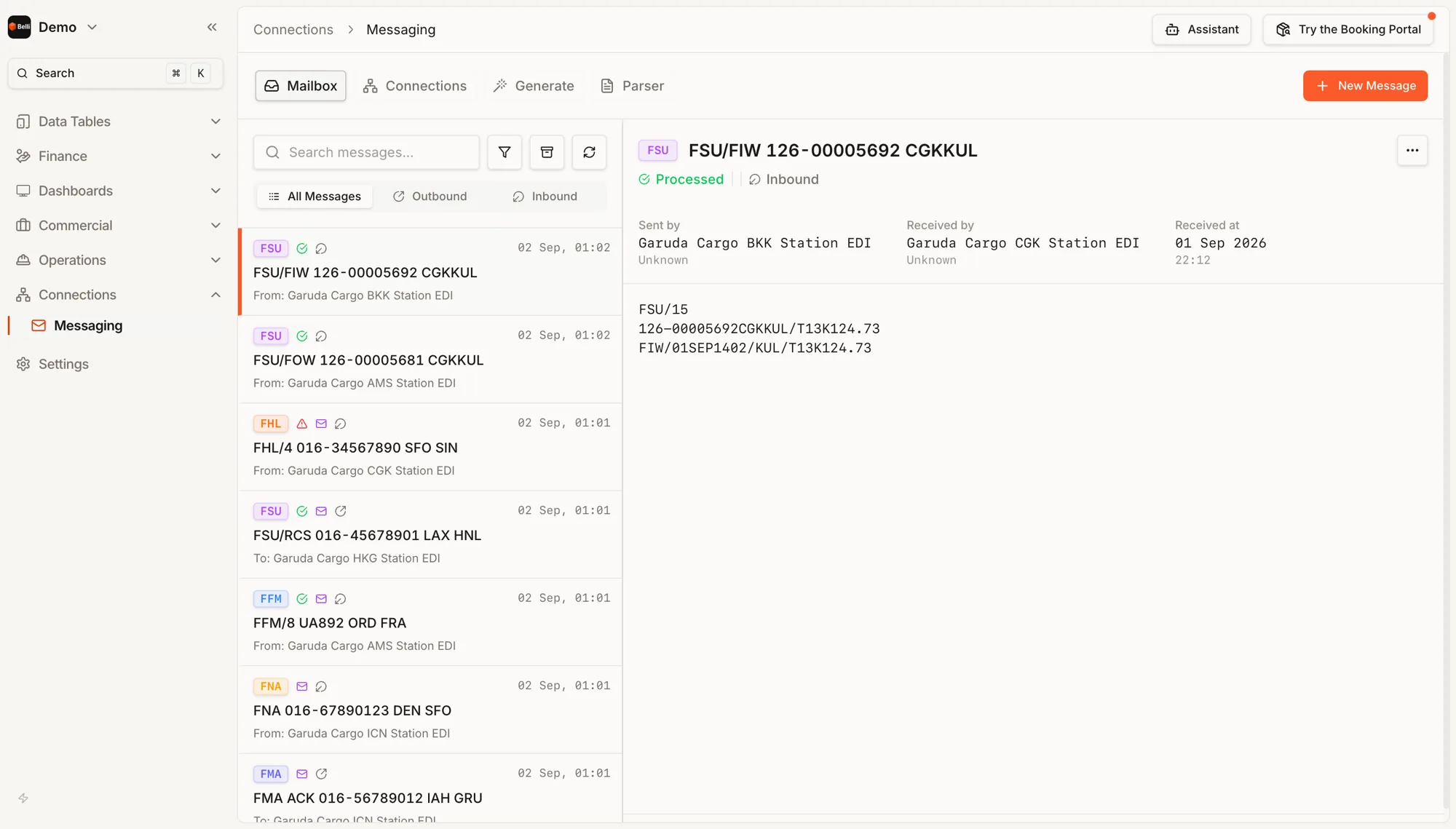
EDI is normally a black box you only open once something has already gone wrong. This is the same traffic as a mailbox: every message, in or out, with its type, the waybill or flight it concerns, the station it came from, and its raw content on screen.
A mailbox, not a log file
Inbound and outbound in one list, each message showing its type, the air waybill or flight it concerns, the station that sent it, and whether it processed. Filterable, searchable, archivable — the affordances of a mail client, because reading messages is what people actually need to do.
The raw message, on screen
Open a message and its actual content is there: the FSU identifier, the waybill, the status code, the timestamp, the station. When a partner insists they sent something, the answer takes seconds rather than a support ticket and a log search.
The message types cargo runs on
FFM for the flight manifest, FHL for the house waybills on a consolidation, FSU for every status change, FMA and FNA for acknowledgements and rejections. Status codes travel inside them — RCS when a shipment is received from the shipper, and the rest of the sequence through to delivery.
Failures surface as failures
A message that errored is marked in the list rather than silently dropped. What needs a human is visible, which is the difference between EDI you trust and EDI somebody re-checks by hand every morning.
Generate and parse
Compose a message when a partner needs one you do not send automatically, and paste a raw message into the parser to see what it actually says. Those two tools are the difference between an integration that takes weeks and one that takes months.
Partner connections
[NEEDS DETAIL — how a connection is configured: SITA and ARINC teletype addresses, direct SFTP, an API? And whether inbound messages route by station address or by message type. This is the question a partner airline's IT team will ask in the first call.]
Also in Connections
See Messaging in the live demo. Opens in a new tab.
Demo