
Build a flight by dragging cargo into containers
The lying list on one side, the ULDs on the other and drag between them. A waybill can be split across containers.
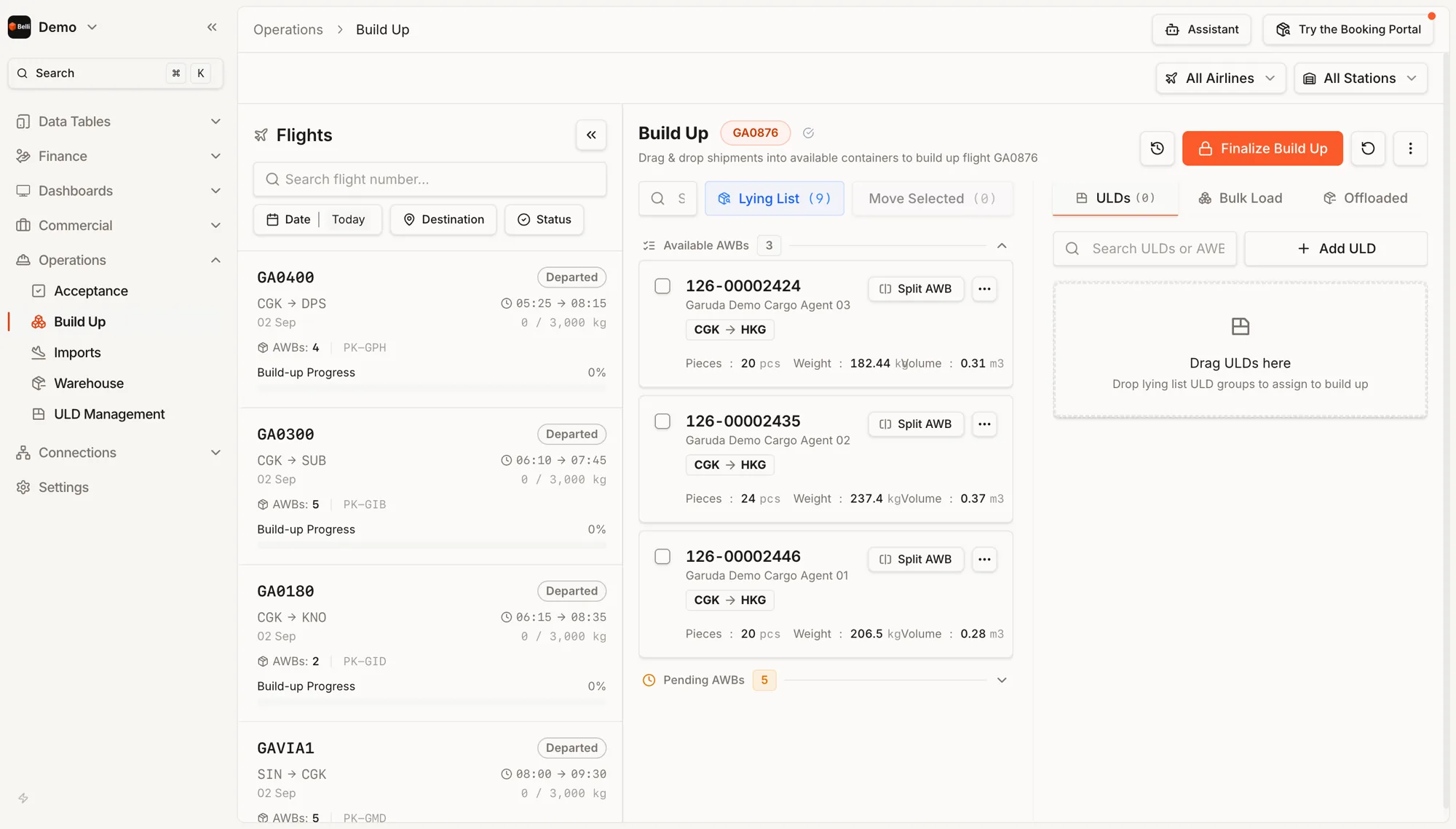
Lying list
Cargo waiting in the warehouse, split into what is available now and what is still pending, each card carrying pieces, weight and volume.
Split
A shipment too large for one ULD, or one that has to travel in parts, splits on the card. The pieces stay tied to their waybill, so the count still reconciles at the other end.
Containers, bulk load and offloads
Not everything travels in a ULD. Bulk load has its own tab and cargo that came back off the build stays visible.
Locking the build
The build locks when finalised, with an undo and a history behind it.
Progress
Build-up progress sits on the flight card.
Load planning
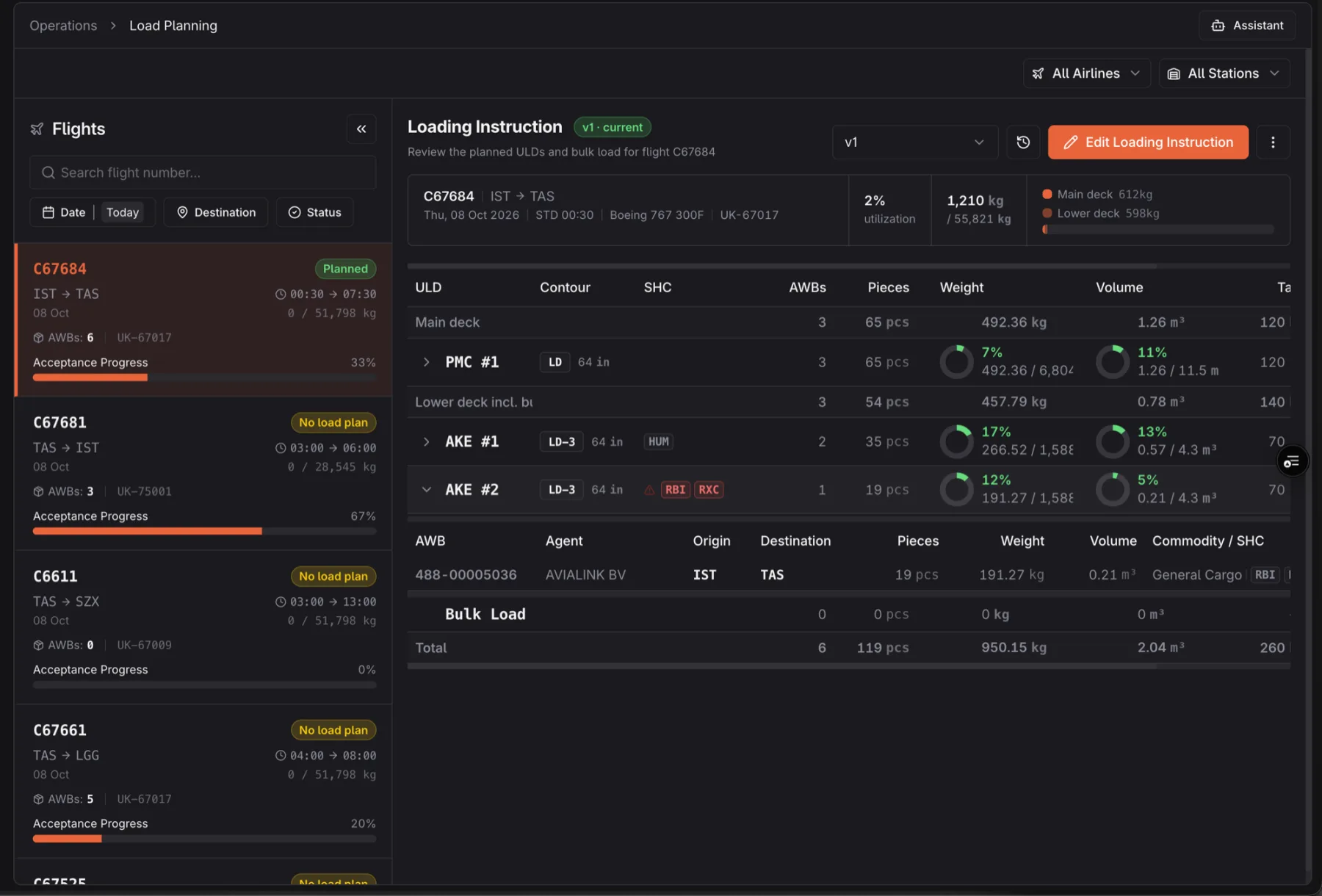
Each flight's loading instruction: the ULDs on the main and lower deck, their contour and handling codes, the waybills planned into each, and how full each one is by weight and volume. Every published version is kept.
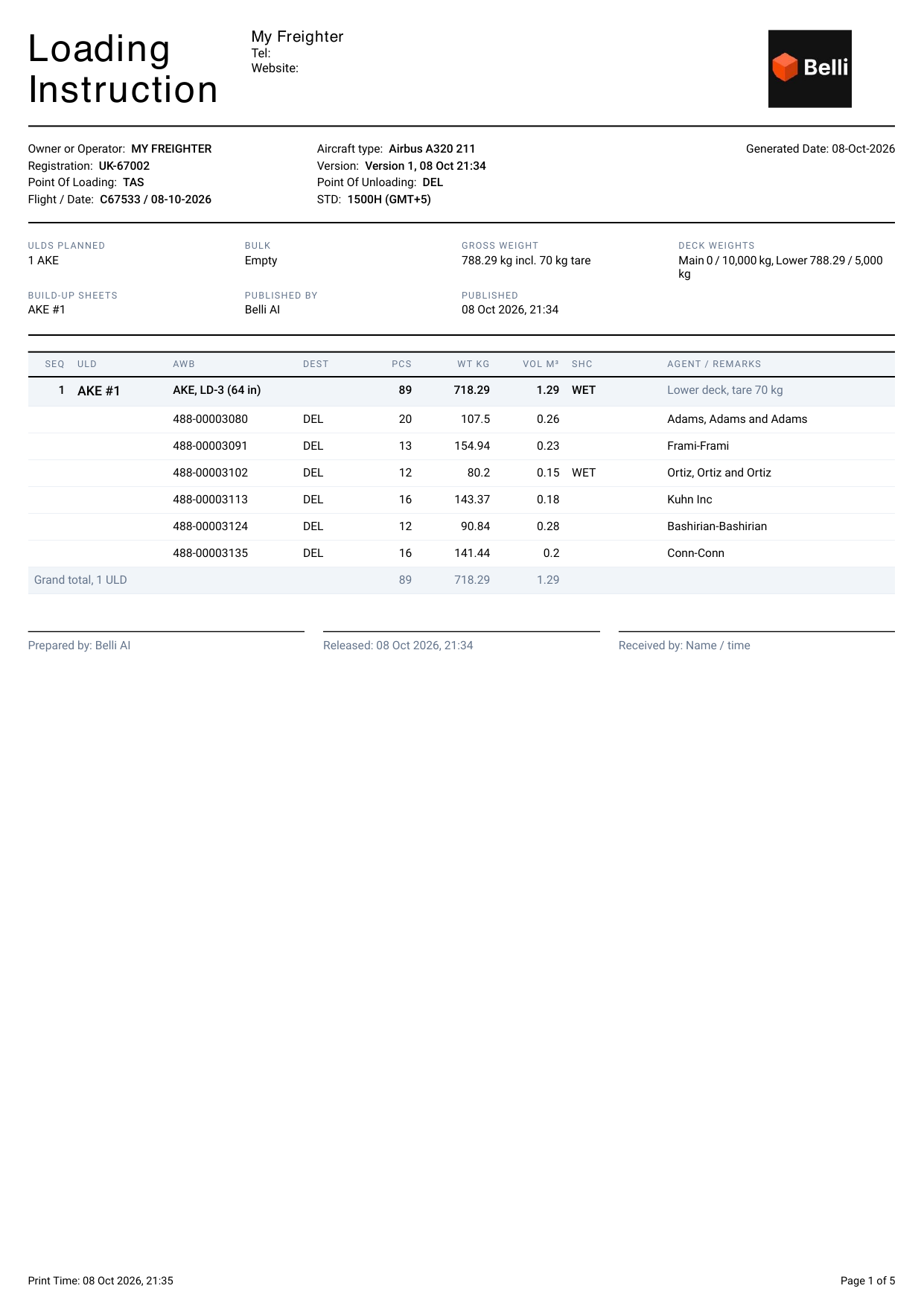
The loading instruction, printed
Publishing produces the sheet the ramp works from: the ULDs, their waybills and the deck weights, then a build-up sheet for each ULD with the finished build, a plan per wall and every piece in loading order.
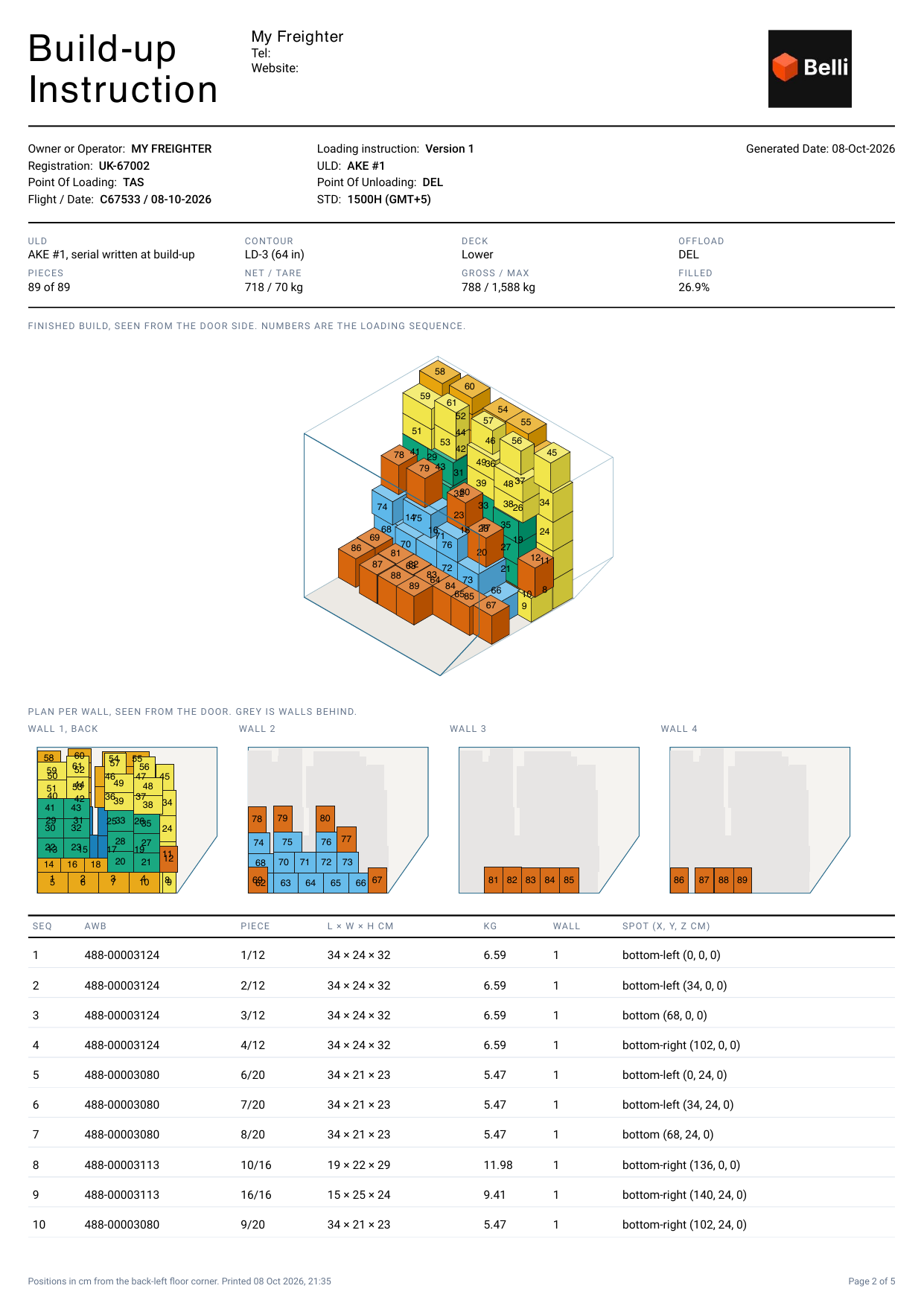
How the 3D build-up works
The design behind the build-up sheet: how pieces are packed inside the ULD's real contour, the rules every build is checked against, and a live 3D build you can step through piece by piece.
Also in Operations
See Build Up in the live demo. Opens in a new tab.
Demo