
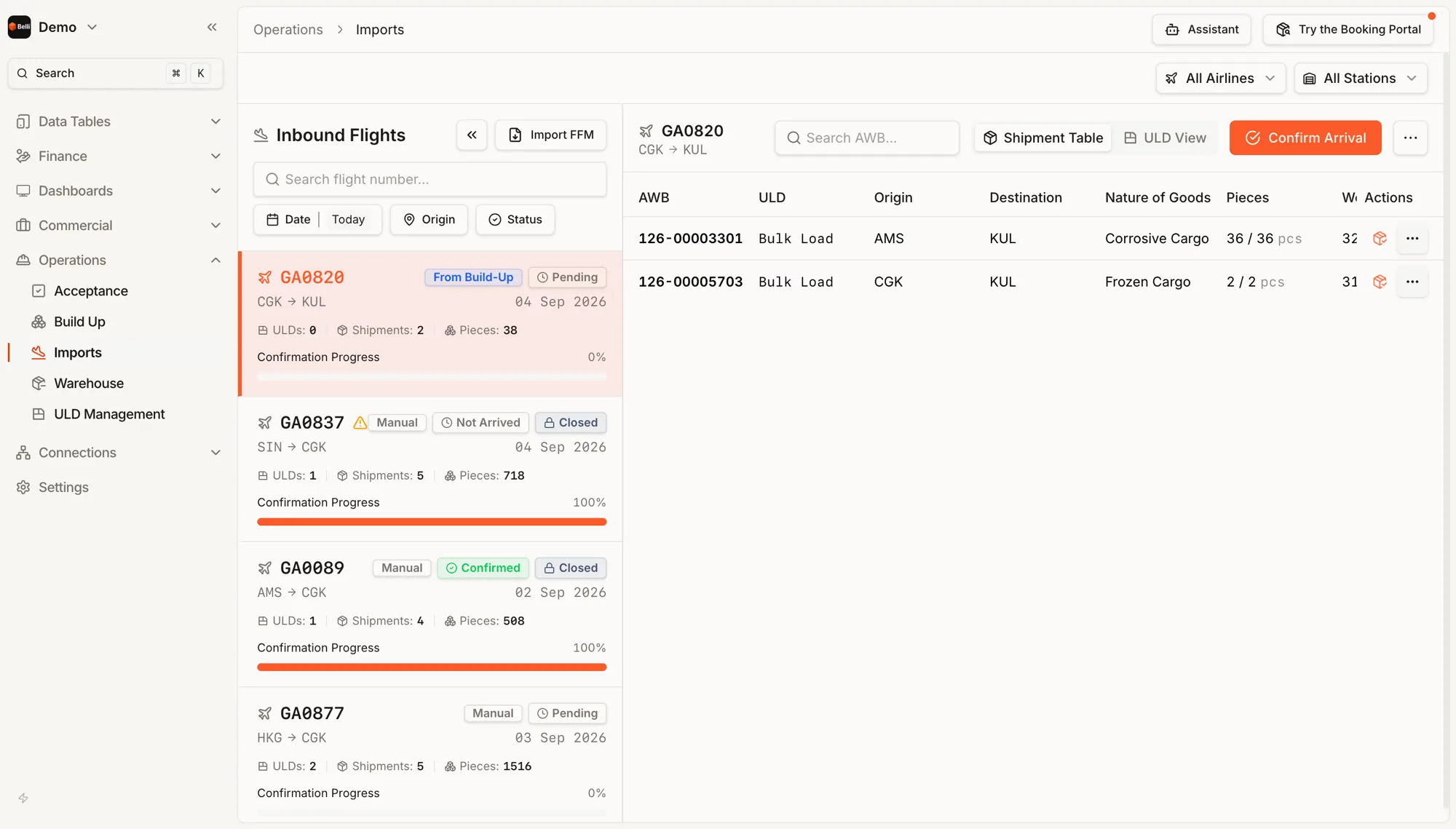
Import the FFM
The manifest arrives as a message and becomes the list you check against.
Expected <> Received
Pieces read as arrived over manifested. For example 36 of 36.
Data source
A flight marked From Build-Up carries the origin station's own build data.
By shipment or by container
Two views over the same arrival. A handler breaking down ULDs and a clerk checking waybills need the list in different orders.
Not arrived
A flight closed as not arrived keeps its shipments and stays in the list.
Also in Operations
AcceptanceFlights on one side with how far acceptance has progressed, the waiting shipments on the other.Build UpThe lying list on one side, the ULDs on the other and drag between them. A waybill can be split across containers.WarehouseWhat is lying on the floor, what came off a flight and needs replanning and what was rejected.Terminal ChargesA charge sheet per air waybill, with storage that counts itself and payment taken at the counter.ULD ManagementTyped inventory by location, with movements recorded where they happen.
See Imports in the live demo. Opens in a new tab.
Demo